
Your privacy
How to Delete Your Account
You can request the permanent deletion of your account and all your personal data directly through the app. Deletion is processed within 30 days and can be cancelled at any time before that deadline.
Irreversible action after 30 days
After submitting the request, you have 30 days to cancel it. After that period, all eligible data will be permanently deleted and cannot be recovered.
Step-by-step guide to delete your account
Follow the instructions below within the Meevia app
Open Settings
In the left side menu of the app, locate the 'Settings' section and tap 'Clinic Data'.
Scroll to the Danger Zone
Scroll to the bottom of the page until you find the 'Danger Zone' section, identified by the red icon.
Tap 'Request account deletion'
Tap the 'Request account deletion' button displayed inside the Danger Zone section.
Confirm by typing the clinic name
A confirmation dialog will appear. Type the exact name of your clinic in the field provided to enable the deletion.
Tap 'Delete my account'
With the name confirmed, tap 'Delete my account'. Your request will be registered and you will be logged out automatically.
How the screen appears in the app
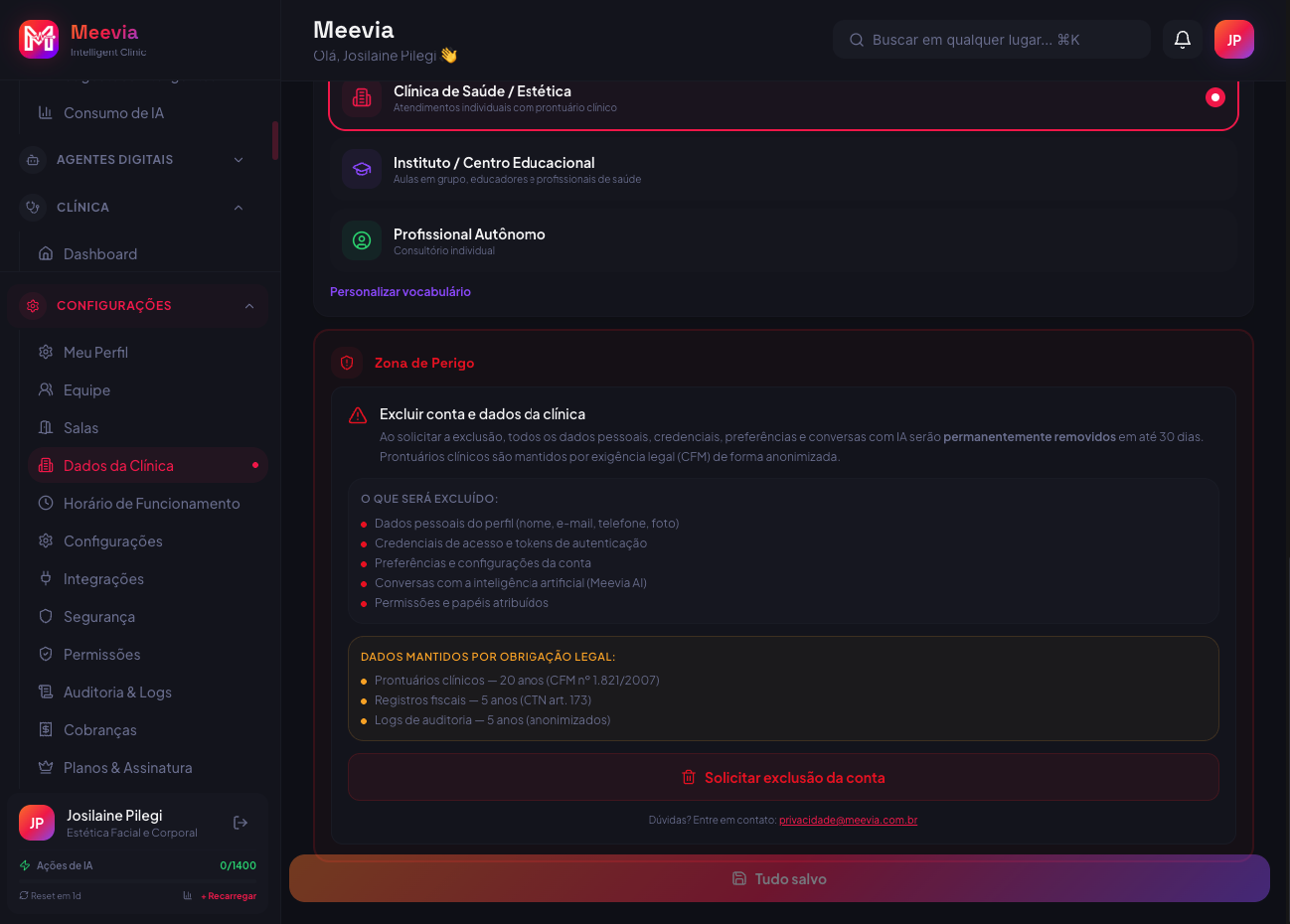
Settings → Clinic Data → Danger Zone
What will be deleted
- Personal profile data (name, email, phone, photo)
- Access credentials and authentication tokens
- Account preferences and settings
- Conversations with the artificial intelligence (Meevia AI)
- Assigned permissions and roles
Data retained by law
- Clinical records
Retained for 20 years · CFM Res. 1.821/2007
- Tax records
Retained for 5 years · Tax Code art. 173
- Audit logs (anonymized)
Retained for 5 years · LGPD/GDPR art. 16
This data is retained in anonymized form and will not be linked to your identity after account deletion.
How to cancel the request
You can reverse the deletion at any time within the 30-day window
Need help?
If you have difficulty deleting your account or have questions about the process, please contact our privacy team.
privacidade@meevia.com.br